Why should ad account security be treated as a top priority?
Many people only start caring about security after something has already gone wrong. That might mean opening an ad account one morning and finding the budget drained by unfamiliar campaigns, losing control of a Fanpage, or seeing a Business Manager taken over by someone else. For advertisers, this is not just a technical issue. It is a direct hit to revenue, data, and the entire operating system behind the business.
The dangerous part is that hackers do not target only the biggest accounts. Any account that controls payment methods, pages, BM assets, or customer data can be valuable. That is why security is no longer an optional task. It has to become a standard management habit from the very beginning.
- Losing an ad account can also mean losing budget, pages, BM assets, and pixel data.
- The damage is not just financial. It also affects time, reputation, and business continuity.
- Even smaller accounts can be targeted if they control important assets.
- Good security reduces risk before you ever have to deal with a crisis.
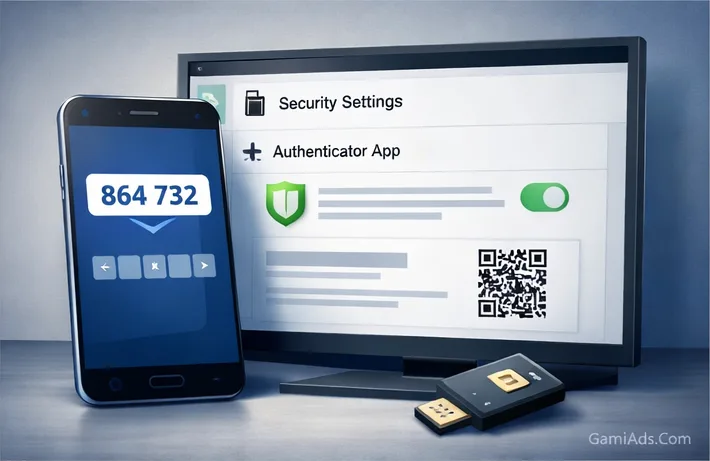
2FA is a required shield if you want to keep your account safe
If a password is the first lock, then 2FA is the steel door behind it. When two-factor authentication is set up properly, knowing your password alone is no longer enough for someone to log in. This matters enormously for ad accounts because many takeovers begin with exposed passwords caused by phishing, data leaks, or password reuse across multiple services.
Among two-factor authentication methods, authenticator apps such as Google Authenticator or Authy are generally safer than SMS. SMS is convenient, but it is weaker from a security perspective because of SIM-swap risk and dependence on mobile networks. Authenticator apps generate codes continuously, rely less on third parties, and are better suited for important accounts.
- 2FA can stop unauthorized logins even if your password has already been exposed.
- Authenticator apps are usually safer than receiving codes by SMS.
- When enabling 2FA, store your recovery codes carefully so you do not lock yourself out.
- Every account that controls BM, pages, ad accounts, or payments should enable 2FA immediately.
BM permissions: grant only the access needed, not the access that feels convenient
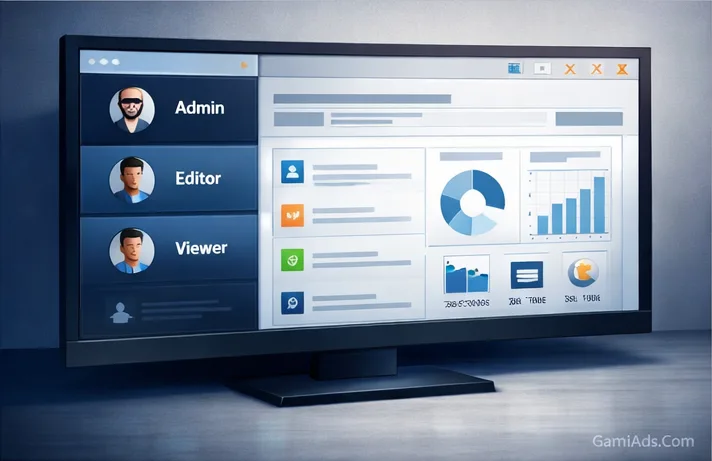
A very common mistake is giving administrator rights to too many people just to make work easier. In reality, that is one of the fastest ways to create risk. When someone does not actually need the highest level of access but still receives full admin rights, they can accidentally or intentionally interfere with assets, add outsiders, change permissions, or even remove you from the system.
A safer principle is least privilege, meaning each person gets only the level of access required to do their job. A media buyer may need access to a specific ad account or Fanpage, but not full business admin rights. An accountant may need visibility into billing without being able to edit campaigns. The clearer the separation of roles, the easier the system is to control.
- Do not hand out Admin rights in bulk just to speed things up.
- Always start by assigning the lowest level of access needed, then expand only if necessary.
- Role-based permissions reduce the risk of exposed access and loss of control over assets.
- Strong BM permission management is a core part of ad account security.
The gaps people often overlook, even when they already use strong passwords and 2FA
Many people assume that a strong password and 2FA are enough. In reality, the account can still be at risk if daily operating habits are careless, such as clicking suspicious links, logging in on public devices, never checking old login sessions, or letting former staff keep access long after they have left.
Another major weak point is being too trusting with fake emails and impersonation attempts. Many account takeovers begin with an email that looks like it came from Facebook or Google, asks for verification, and sends the user to a phishing page. At that point, not only the password but also authentication codes or login cookies may be stolen if the user acts carelessly.
- Phishing remains one of the most common paths to compromised account access.
- Unknown devices, old sessions, and former staff permissions all need regular review.
- Having 2FA does not mean you can ignore other safe operating habits.
- Real security depends on both the tools you use and the discipline of daily behavior.
A complete security checklist that turns safety into a habit
The best way to avoid forgetting ad account security is to turn it into a recurring checklist. Start with the basics: use strong passwords, never reuse the same password across platforms, enable 2FA on every important account, and regularly review the list of logged-in devices. Even something as simple as removing an unfamiliar device or changing a password at the right moment can prevent a major incident.
On top of that, schedule recurring access reviews inside BM every month or every quarter. Anyone who no longer works with you should be removed immediately, overly broad permissions should be narrowed down, and the accounts controlling critical assets should be reviewed separately. When every security step has a schedule and someone clearly responsible for it, the whole system becomes far safer.
- Use strong passwords and never reuse the same password across multiple platforms.
- Enable 2FA on all accounts that control BM, Fanpages, advertising, and payments.
- Regularly review logged-in devices, access rights, and the user list inside BM.
- Treat security as a repeatable process, not something you only handle after a problem appears.
Conclusion: a strong account is not enough—only a secure account can take you far
In digital advertising, many people pay close attention to strong accounts, strong BM setups, or high spending limits, but forget that a single security gap can wipe out all that work in a very short time. A healthy advertising system does not only need the ability to scale. It also needs a security foundation strong enough to prevent collapse because of basic mistakes.
So if you want to build for the long term, treat 2FA, proper permission control, and regular access reviews as three essential layers. When these are done well, you are not just protecting the ad account itself. You are protecting the entire asset system that generates revenue for your business.
- A strong account with weak security is still a high-risk account.
- 2FA, permission control, and access reviews are the three most important foundation layers.
- Good security reduces both the chance of losing assets and the damage caused by incidents.
- If you want sustainable operations, invest in safety before a crisis happens.
Frequently Asked Questions
Is 2FA really necessary for ad accounts?
Yes. For accounts that control BM, Fanpages, ad accounts, or payments, 2FA is close to non-negotiable. Using only a password is no longer enough in today’s environment.
Should I use SMS-based 2FA or an authenticator app?
Authenticator apps are usually the safer choice. SMS is convenient, but it comes with risks such as SIM swaps and reliance on mobile networks, while authenticator apps are generally more stable and secure for important accounts.
Who should have Admin access in Business Manager?
Admin access should be limited to the business owner or only the people who are highly trusted and genuinely need the highest level of control. Most staff or partners should receive only the permissions required for their work, not full admin rights across the whole system.
How often should BM access rights be reviewed?
At a minimum, access should be reviewed monthly or quarterly, and immediately whenever there is a staffing change, a partner change, or any suspicious sign. The goal is to avoid leaving outdated permissions active without oversight.
If 2FA is already enabled, is there anything else I still need to watch for?
Yes. You still need to avoid phishing attempts, use separate strong passwords, review logged-in devices, and manage access rights tightly. 2FA is extremely important, but it does not replace the rest of good security practice.